

Release Version: v5.77 – v5.79
In our latest updates, we’ve introduced a range of enhancements across TechlifyHR to improve efficiency, usability, and overall system performance. These updates focus on streamlining data management, enhancing payroll and performance tracking flexibility, and strengthening accuracy and transparency across key HR processes, including Leave Import, Divisions in Employee Profiles and Payroll, Mobile Timesheet Location Tracking, KPI Form upgrades, Tag Management, Password Reset & User Lock Enhancements, Improved Employee Data Printing, Digital ID Number Capture, and payroll improvements such as Child Tax YTD, Absent Breakdown, and Commission Breakdown on paysheets.
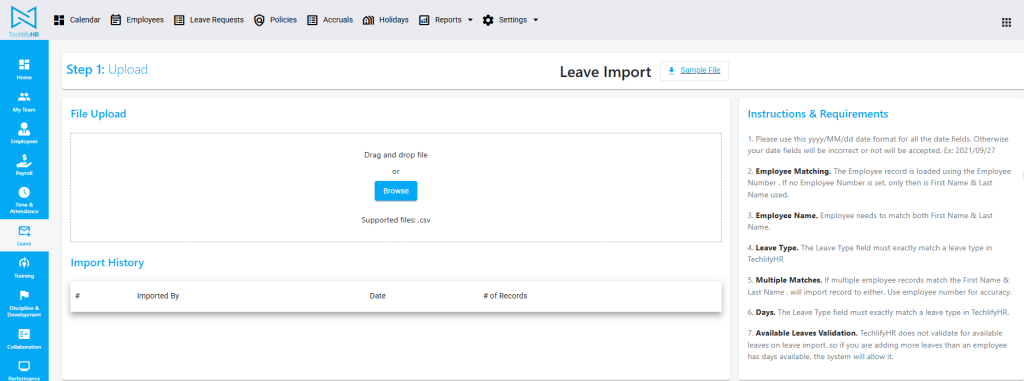
Leave Import
We’ve introduced the ability to import leave data directly into the system, reducing manual entry and saving time by enabling faster bulk uploads, minimizing errors, and ensuring greater data consistency across records.
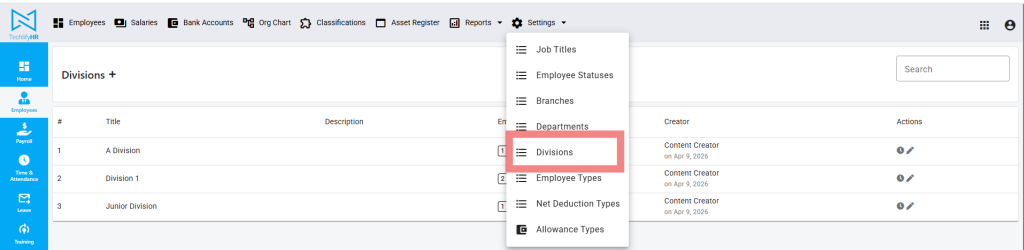
Introducing Divisions
A new way of categorizing employees and payroll.
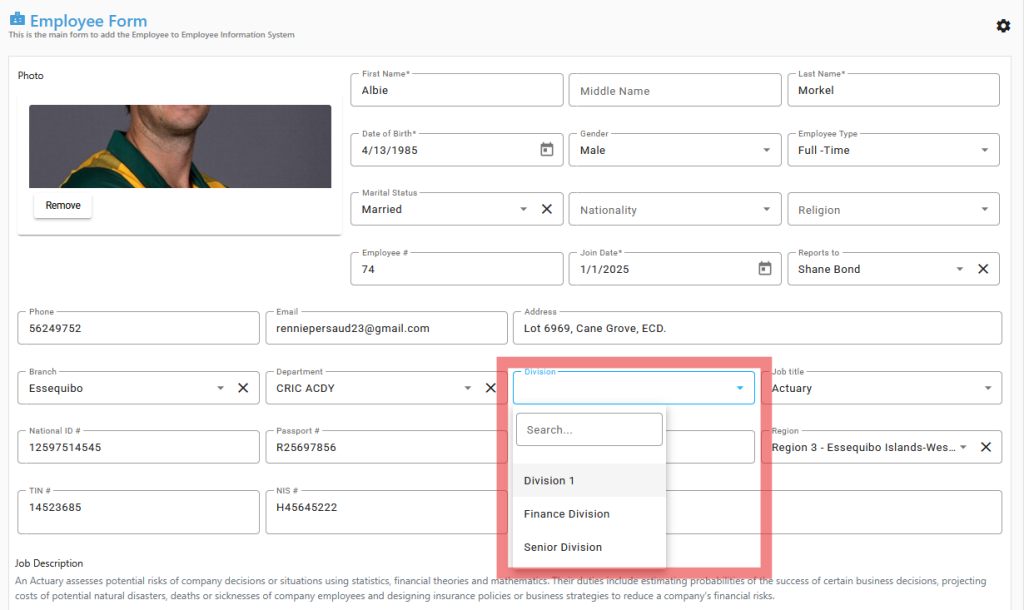
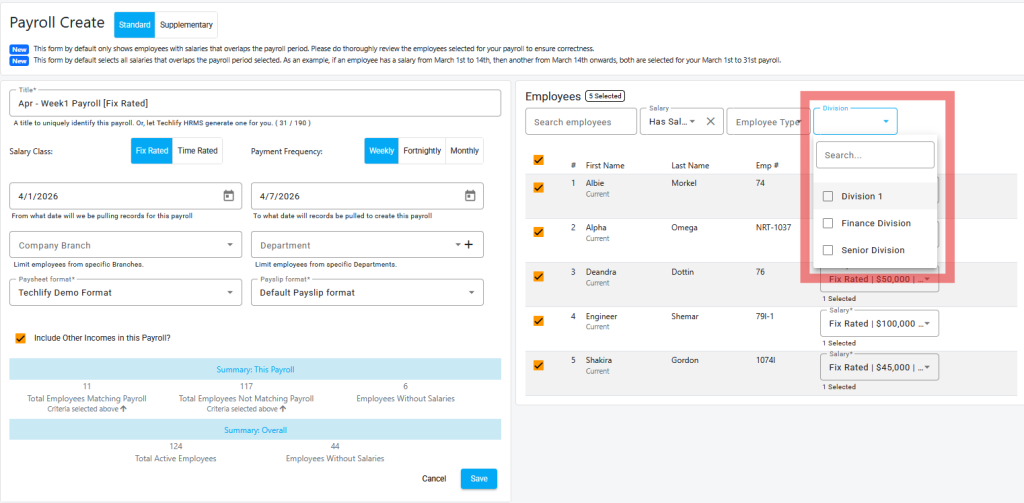
Division in Employee Profile & Payroll
We’ve added division support across payroll and employee records for better structure and reporting, allowing divisions to be assigned to employees, payroll to be filtered by division, and reports to provide clearer insights by organizational structure.
Mobile Timesheet Location Tracking
Timesheet tracking is now more accurate with location-based features on mobile, allowing employee locations to be captured on timesheet entries, and allowing you to capture the location that an employee clocks in from, when using TechlifyHR mobile.

KPI Upgraded
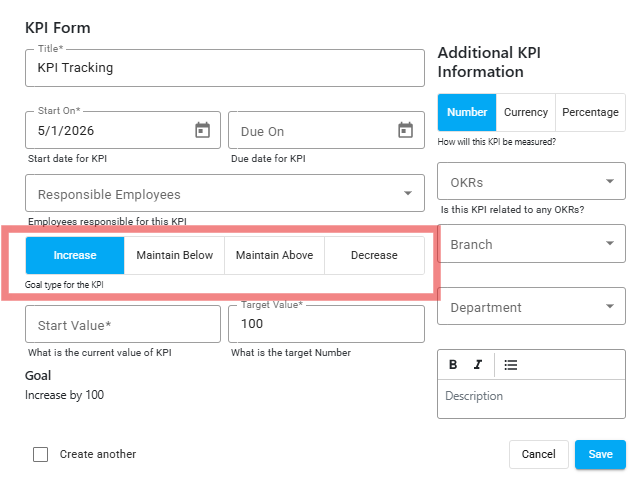
We’ve introduced updates to the KPI form to enhance performance tracking and simplify employee evaluations. With these improvements, you can now define KPIs more effectively by setting targets to increase toward, maintain below, maintain above, or decrease from a specified value, allowing for more flexible and accurate performance measurement.
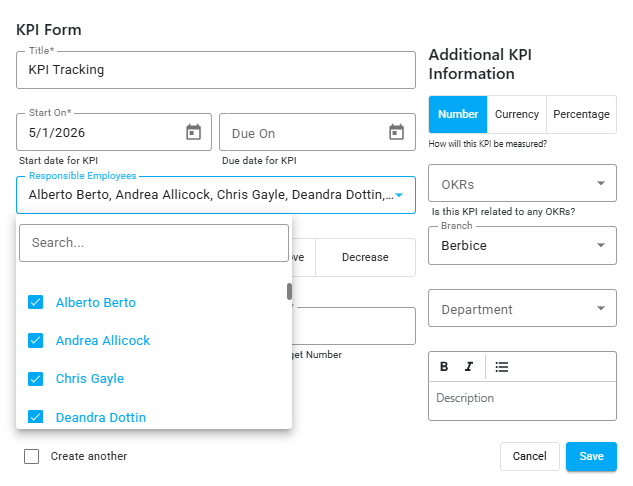
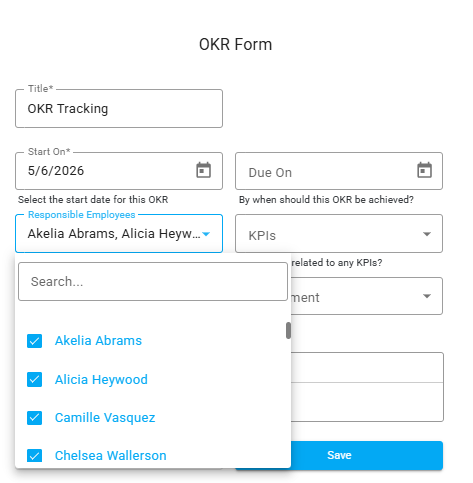
Multiple employees can now be selected and assigned within the KPI and OKR forms, making it easier to manage performance objectives across teams. This enhancement allows users to efficiently apply the same KPIs and OKRs to multiple employees at once, reducing repetitive setup and ensuring greater consistency in performance tracking.
Other Enhancements
- Manage Tags – Managing and organizing data is now easier with enhanced tag list functionality, giving users control to create, update, and manage tags while improving and simplifying categorization, and enabling more effective filtering of records.
- Payslip Layout Update (3 Per Page) – Payslip printing has been optimized to allow up to three payslips per page, reducing paper usage, speeding up printing, and making payroll processing more efficient.
- Password Reset & User Lock Enhancements – Security has been strengthened with updates to password management, including an enhanced password reset process, a user lock feature after multiple failed attempts, and better protection of sensitive employee data.
- Improved Employee Data Print – We’ve enhanced how employee data is formatted when printed, providing a cleaner layout, better readability, and a more structured display of information.
- Capture New Digital ID Number – A new field has been added to the employee bio form to capture the Digital ID number, improving record accuracy and ensuring employee data is easily accessible when needed.
- Child Tax YTD on Payslip – We’ve added Child Tax YTD (Year-to-Date) on the payslip to provide clearer visibility of total child tax deductions accumulated year-to-date, allowing users to easily track and verify deductions directly from the payslip.
- Absent Breakdown on Payslip – We’ve introduced a new field on payslips to include an absence breakdown, providing clearer visibility of employee absences. This enhancement allows employees to easily view absence details directly on their payslip, improving transparency and understanding of absences recorded.
- Commission Breakdown on Paysheet – We’ve introduced a commission breakdown column within the paysheet to provide clearer visibility of how employee commissions are calculated and contribute to total earnings. This enhancement allows users to view detailed commission directly in the paysheet, improving transparency and supporting more accurate payroll review and processing.
