

Release Version: v5.80 – v5.83
Employees’ Relations
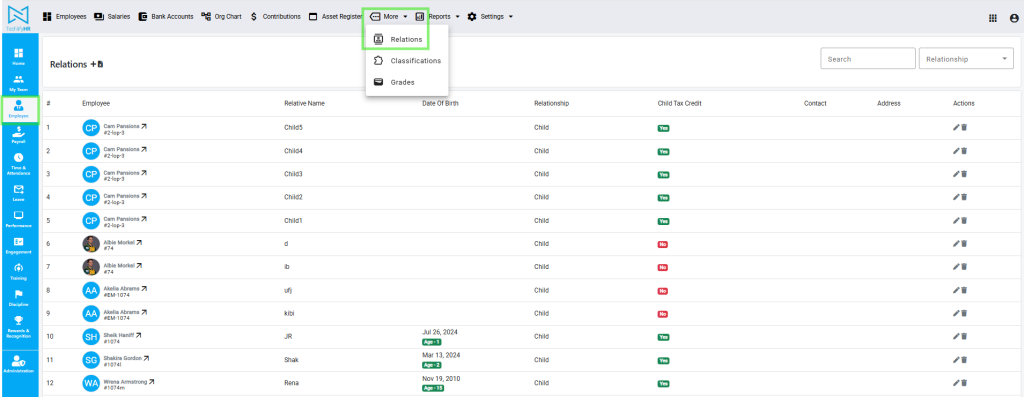
Previously, you were able to browse relations for an employee within the employee’s profile. We’ve now added a page with all relations across your organization. This page can be accessed within the Employee module, More menu. Here, you are able to filter relations, such as getting a list of all Fathers of your team members for Father’s Day wishes. You are also able to export this list to Excel.
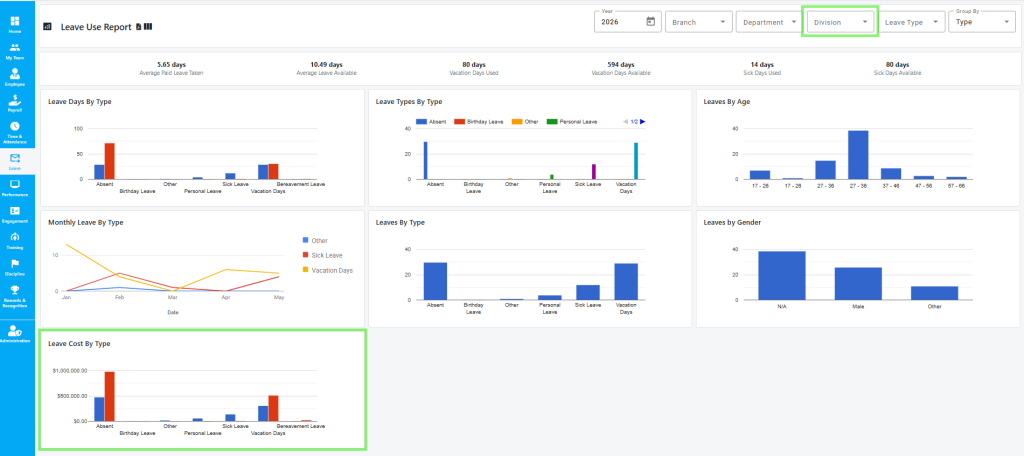
Leave Reports: Track Cost Yearly
We updated the Leave Use Report to help you track exactly how much employee leave costs your organization year by year. You can now easily compare leave costs and total leave between different years and groups. We have added a Division filter to the report page.
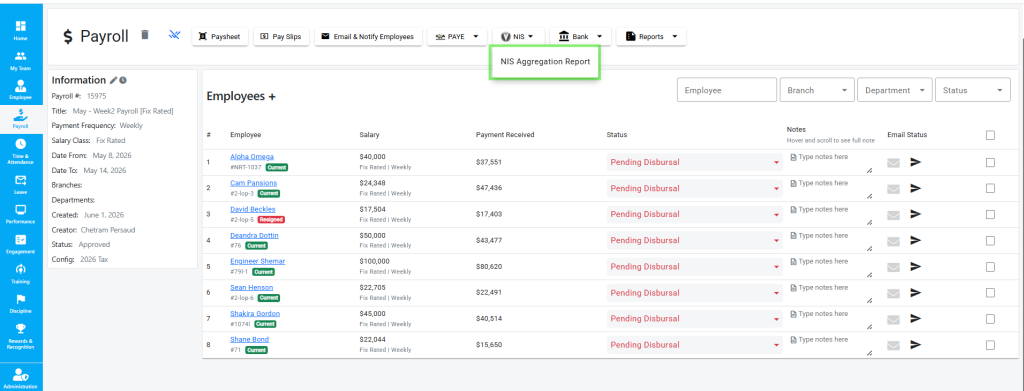
NIS Report for Weekly and Fortnightly Payrolls
We made it easier and faster to get your NIS reports. Before, if you were processing weekly or fortnightly payrolls, the NIS button would open the monthly report. Now, when you click the NIS button, it takes you straight to the weekly or fortnightly report. This means less clicking and TechlifyHR takes you exactly where you need to be to generate your reports for submissions.
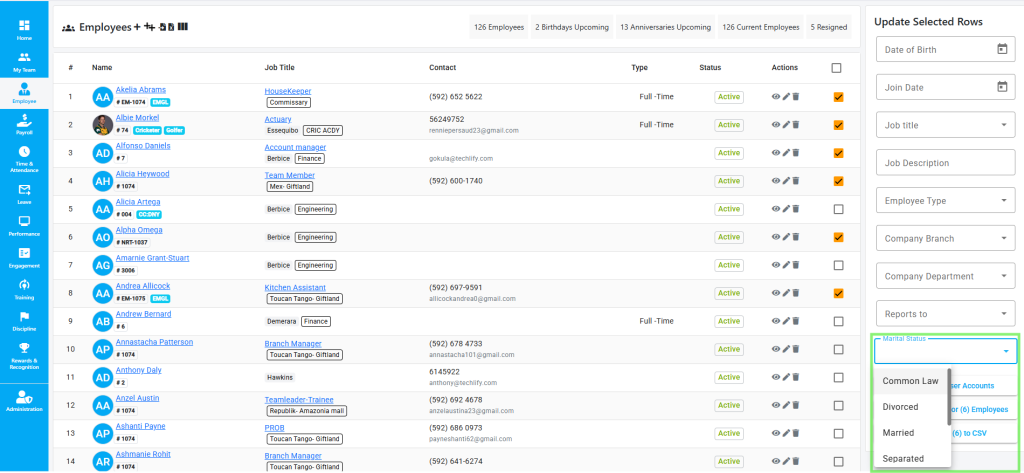
Batch Update Marital Status
You can now update the marital status of multiple employees at once. Before this update, you would have had to open each profile to make the change. Now you can simply select all the employees you want to change, choose their new marital status and update them all with just a few clicks. This new update removes repetitive work and saves you time.
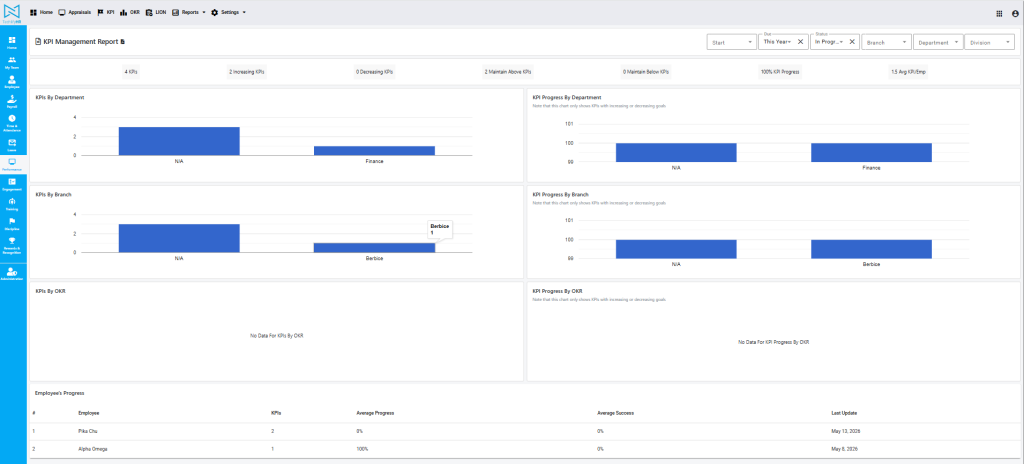
KPI Management Report
We updated the KPI Management Report to make it easier to track employee goals and performance. We added new filters and stats that adjust based on what you select so your data is accurate. The report now shows exact progress as a percentage (%) by department, branch, or OKR, making it easy to see how close teams are to hitting their goals.
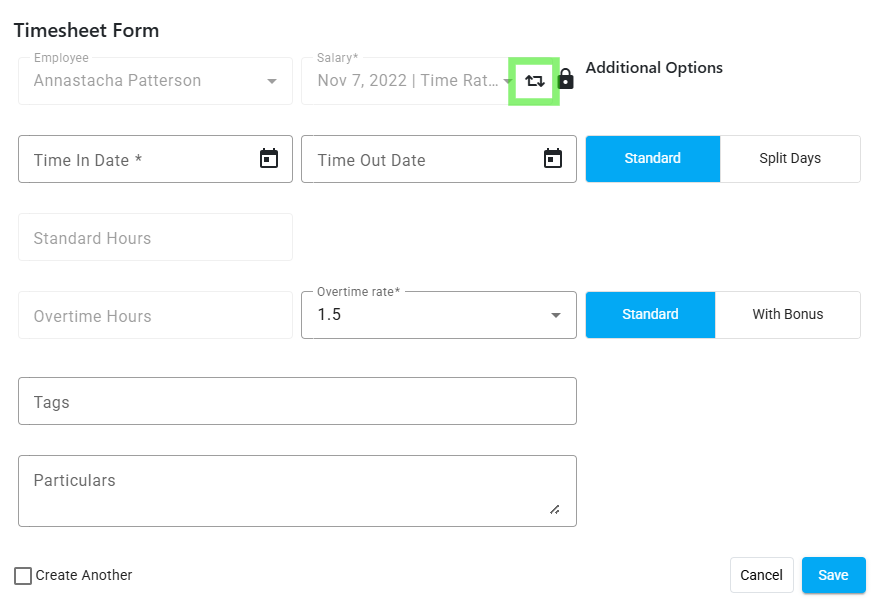
Timesheet Form Salary Switch
We have updated our timesheet form to streamline the recording process, especially for employees with multiple active salaries. We’ve added a button that allows you to easily switch between active salaries, removing the need for multiple clicks.
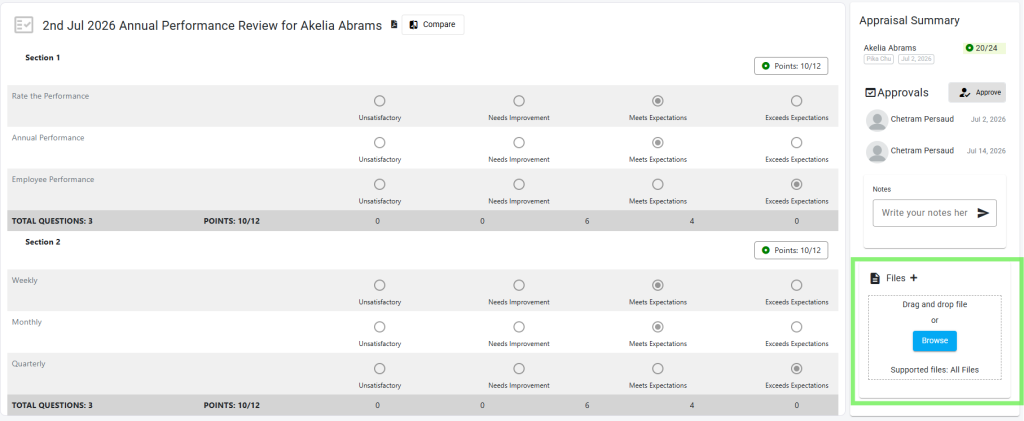
Appraisal Submission Document Upload
With this update, you can upload and attach supporting documents to submitted Appraisals. By keeping all supporting evidence attached directly to the specific appraisal record, everything stays exactly where it belongs.
Other Improvements
- Editable Form 7B – We have upgraded the Form 7B to support manual edits for Overtime Deduction and Child Allowance fields. This upgrade allows you to review and adjust values directly within the form before generating and submitting to your employees.
- Filter Reports By Division – Following our recent introduction of organizational Divisions, we optimized our reports to allow you to filter by Divisions, specifically within the Payroll Data Report. The system checks whether your company uses divisions and will only display the filter if it has created divisions. If your company does not use Divisions, the filter will be hidden.
- 2 Active Fix-Rated Salaries – You can now assign and process two active fixed-rate salaries for a single employee at the same time. This update caters to employees managing multiple roles, ensuring both salaries are calculated accurately when you process payroll.
