We love to make your work life even simpler every week, and this update does just that. Version /3.2.0 introduces a new feature; Asset Management.
New Feature Alert!
Asset Register
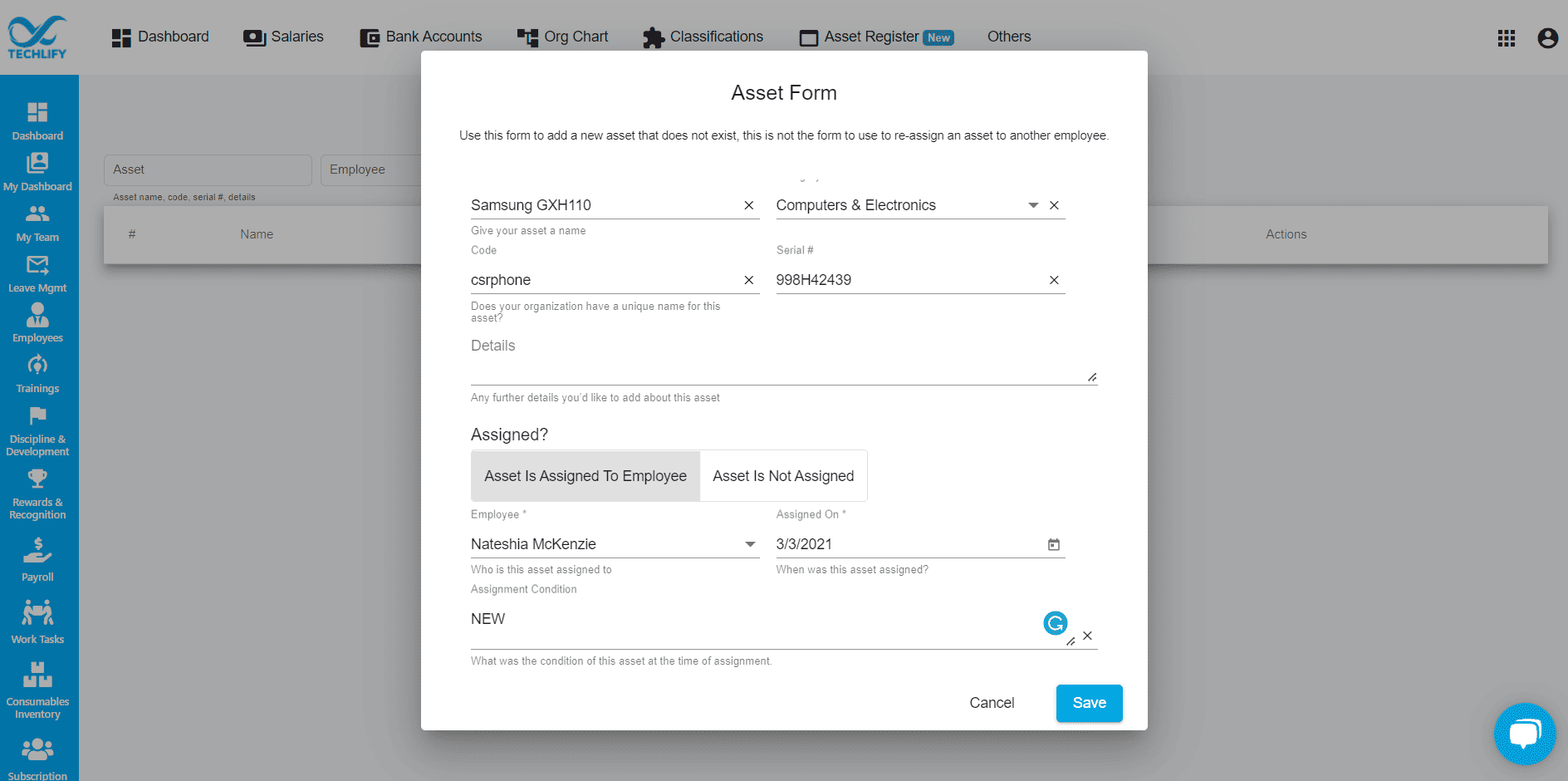
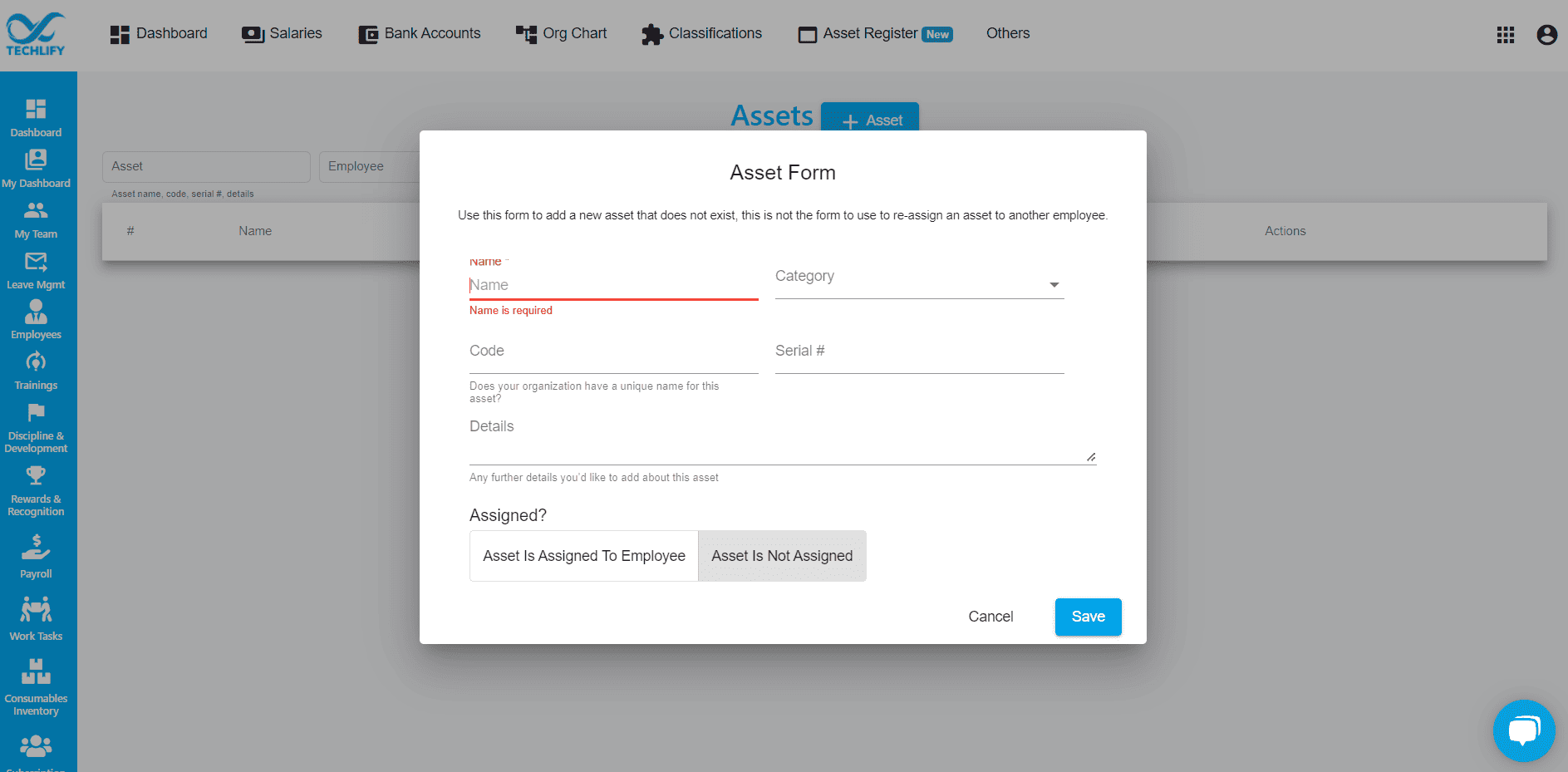
This brand new feature, located within the employee module allows you to track workplace assets assigned to employees. Just fill in the asset name, asset category, code and/or serial number. You also get to specify whether or not it has been assigned to an employee.
In the last week, we have improved the asset listing page to show you more pertinent information and allow you to reassign assets to other employees. Included in the asset register is an:
- Asset Form
- Assign Asset Form
- Asset Return Form
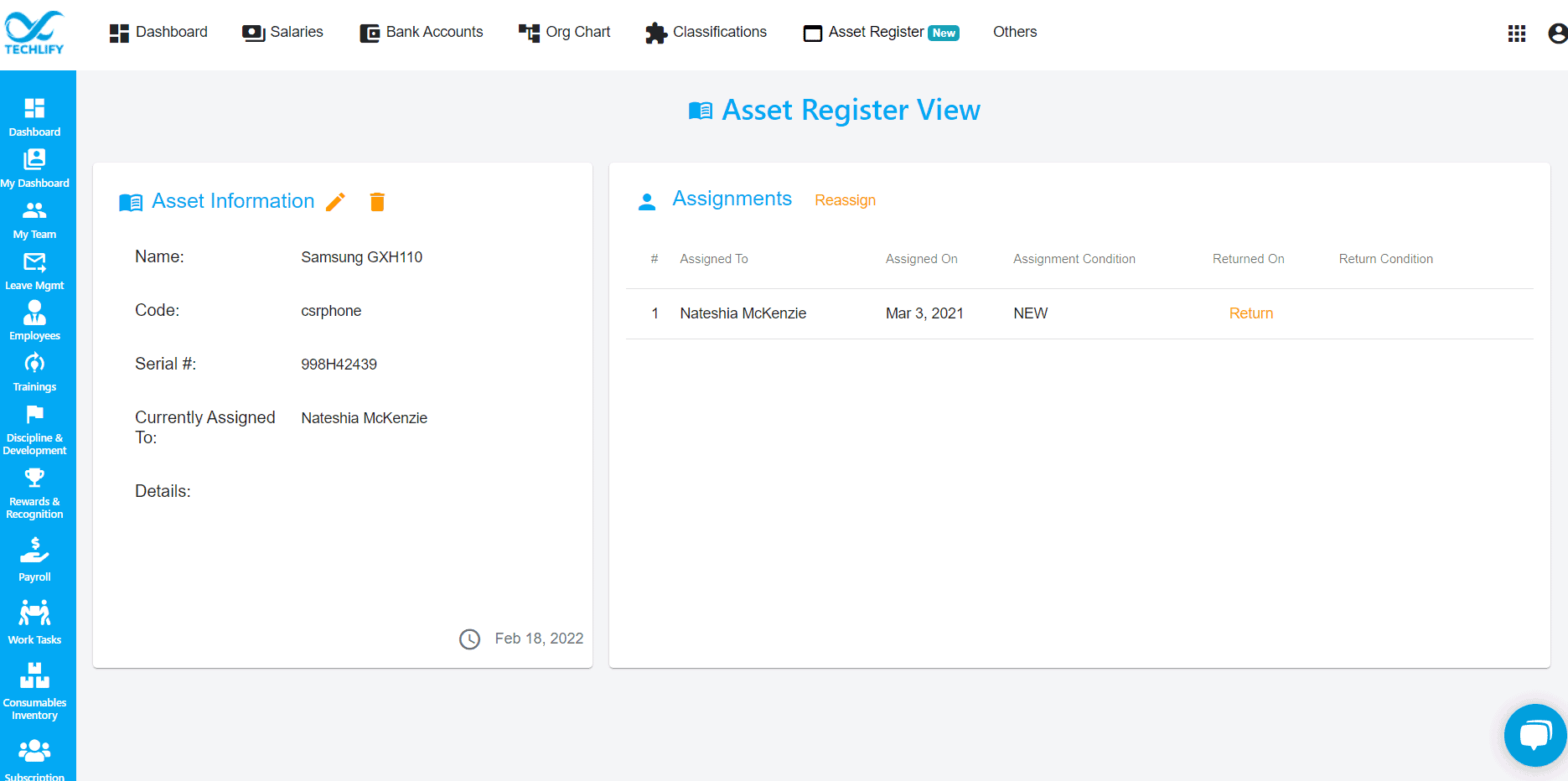
Once you fill out a new asset form, you can view a history of the assignments of said asset. This history view also tracks the condition of the asset and allows you to reassign where necessary. On the main landing page of the asset register menu, you can use filters to quick search assets over time.
This new asset management will eliminate all of the countless mounds of paper and composition books you use to now.